Viewing Tracker Inventory Notes
Inventory Notes (iNotes) may be viewed on the Inventory Master Screen and also as a Part Number is retrieved on the main Sales Screen
View in Inventory
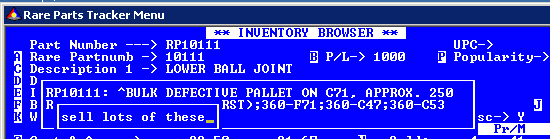
After a part number has been called up a note may or may not display. If there are no notes associated there will be none to display. If one or more notes are associated with the part number an asterisk will display between Part Number ---> and the Part Number. The asterisk will replace the space that is normally shown there.
If a note was set to always display, the note will be displayed. To display any existing note press the F11 key. If there are multiple notes associated with the part use the F11 key to cycle through them. To turn off the note viewing press the F11 key until no note is displayed.
View in Parts Sales
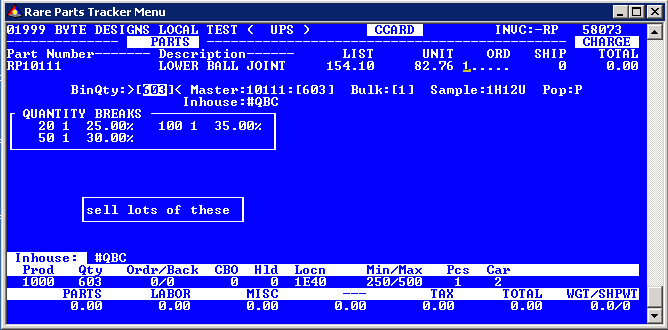
If a note is set to automatically display it will display as shown above as "sell lots of these". Use the F11 key to cycle through multiple notes. You can carry on as you would if no note was displayed. It will dissapear when you leave the prompt. The note(s) are available via the F11 key at the ORD and SHIP prompts.
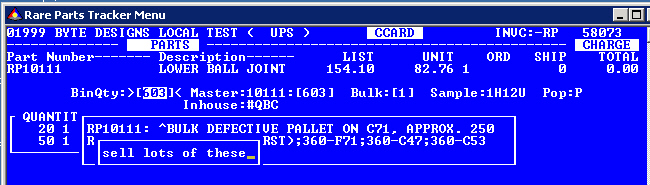
Use the F11 key to cycle through the notes.
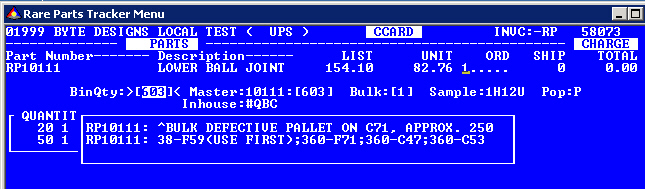
The F11 key can be used to display/cycle Inventory Notes while the cursor is at the ORD or SHIP prompt.
Copyright © 2005 Byte Designs Ltd. All Rights Reserved.